Bancheng / Online shop
An online shop that handles what happens after the sale
If you sell through Instagram, Facebook, LINE or group orders, your orders are probably spread across comments, DMs and a spreadsheet. The hard part of selling online isn't having a web page — it's everything after someone says "I'll take it".
Get your orders out of the comments
A group order opens and the comments fill with "+1". Then come the DMs asking about sizes, the payment screenshots, the "can you send it somewhere else instead?" — and in the end it all gets copied into a spreadsheet by hand. Miss one and you owe someone an apology, usually on your busiest day.
When customers order in your own shop, the items, options, total, payment status and tracking number are all on one page. No second system to check against.
Payments: the money goes to your own account
- Connect your own Stripe account and take card payments. Stripe pays you directly; the money never passes through us.
- In Taiwan, ECPay and NewebPay work the same way, with your own merchant account.
- Rather avoid card fees? Offer bank transfer only: the customer reports the last digits of their account, and you mark the order paid once it arrives.
- No commission on sales. The only thing you pay us is the plan fee.
Shipping: your carriers, with tracking customers can follow
Add the couriers you already use and the address of their tracking page. Once an order ships, post progress updates — in transit, out for delivery, delivered, or a delivery problem. Customers see each update on their order page and can get it by email, so fewer people message you asking where their parcel is.
Packing day is covered too: tick a batch of orders and print their pick lists in one go.
In Taiwan only: convenience-store pickup at 7-Eleven, FamilyMart, Hi-Life and OK Mart through your own ECPay logistics account, cash on delivery, and Black Cat home delivery at room temperature, chilled or frozen — with the store shipping label printed straight from the order page.
Listing products and bringing customers back
- Product options, add-ons, bundle prices, coupons, member tiers and store credit
- Import and export products as an Excel spreadsheet instead of entering them one by one
- Customers sign in with LINE, Google or Facebook to check their orders, request returns and leave reviews
- Collect a newsletter list, and export it whenever you like
Product questions go to the AI assistant
The orders small shops lose most often are the ones behind a message nobody answered at midnight. The assistant reads your own products and policies — your best sellers, today's prices, delivery options, the free-shipping threshold — and answers from what you set up. When it can't find an answer, it hands the chat to you in the words you chose instead of making one up.
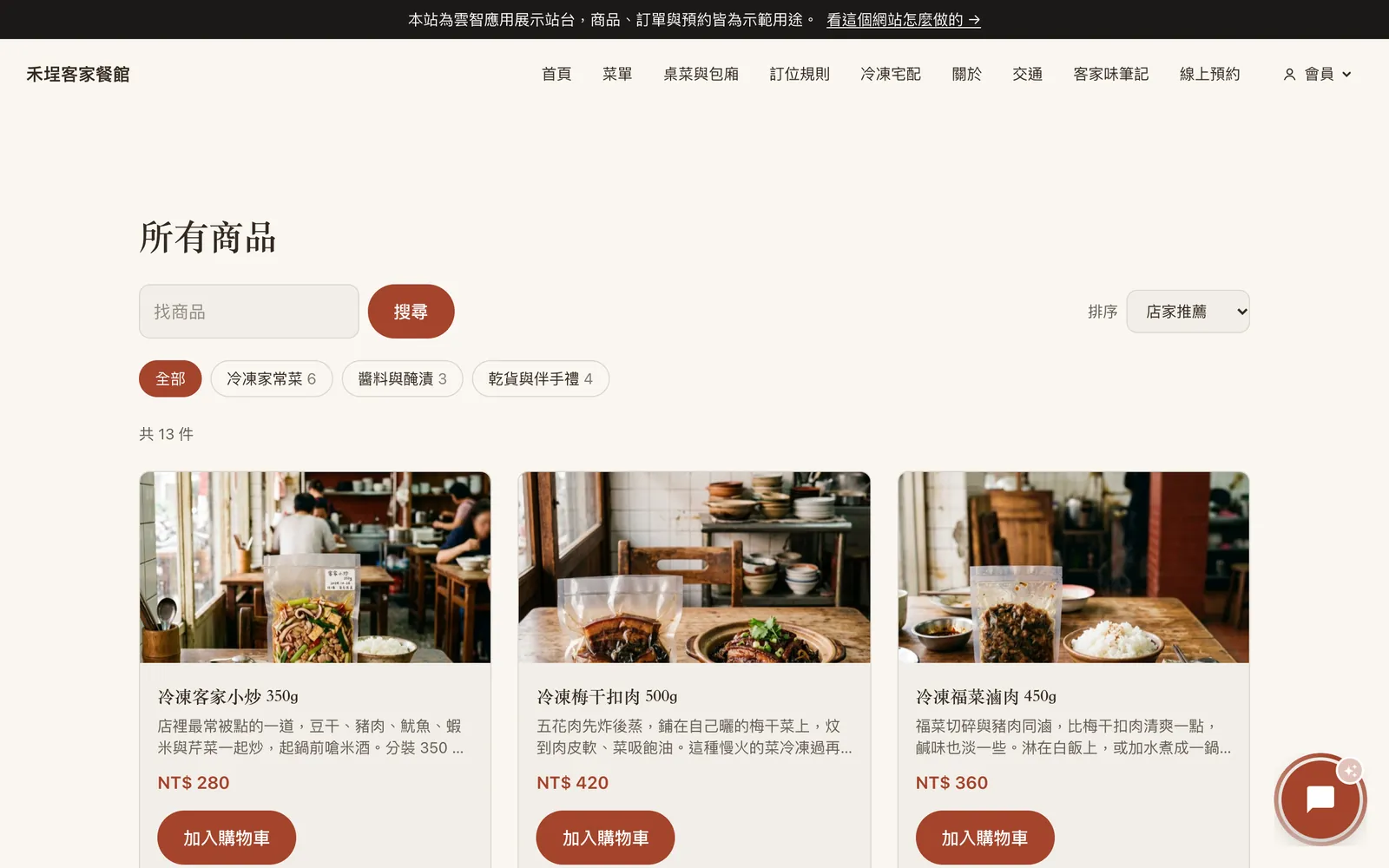
Browse a finished demo shop and ask the assistant in the bottom-right corner a question. The shop is in Chinese; write to the assistant in English and it answers in English.
What it costs
The shop comes with the Pro plan, from US$31 a month (billed as NT$999), AI assistant included. If you only need a website and the AI assistant for now, Basic starts at US$12 a month (billed as NT$399). The free plan needs no credit card: build your site first and upgrade when you're ready to take money. The full comparison is on plans and pricing.
FAQ
Do you take a cut of my sales?
No. You pay us a flat monthly fee. Card payments go to your own Stripe account (ECPay or NewebPay in Taiwan); the provider charges its usual processing fee. With bank transfer only, there's no processing fee at all.
Can I open a shop on the free plan?
No. The free plan covers the website and the AI assistant; the shop starts with the Pro plan.
Which carriers can I use?
Any. Name the courier you work with, add its tracking page if it has one, and post delivery updates on each order — customers see them on their order page. In Taiwan you can also connect ECPay for convenience-store pickup and home delivery.
Can products sync with my marketplace store?
Not at the moment — there's no sync with marketplaces such as Shopee or Amazon. You can import products from Excel in one go, but stock on each side is then managed separately.